
Filtering and sorting Activities
To get a better overview and to find the relevant activity, several possibilities are available by filtering existing activity. It is easy to find an activity by using the filtering, sorting, and search options. Filters created can be saved.
Some filters have a drop-down menu depending on the configuration and the information in the tool (e.g., the possible assets and activity status).
There are three filtering options:
Option 1: Search for any field or information on the activity search bar.
The search field enables the user to search for specific activity names.
Option 2: Activate 'Filter' in the activity list.
Select the relevant information. Filter based on the different activity fields.
In the following table, all possible filters are shown.
| Filter | Description |
|---|---|
| Site | The site is the name of the wind farm/project. All sites filled in the site bar are visible here. |
| Asset | The asset is the plant. All wind turbines and substations of the wind farms are available here. |
| Name | Filter by the name of the activity. |
| Work order status | The activity status is the planning status in the execution tool. The possible statuses are: |
| Opened | The activity is opened, not finalized. |
| Dispatched | The activity is planned. |
| Completed | The activity is done. |
| Transport | Filter by transportation. |
| Department | Here it is possible to define which department to filter. |
| Filter date from | The field defines the start date of the filter. |
| Filter date to | The field defines the end date of the filter. |
Option 3: Use a stored filter.
It is possible to save the filters and use them again later.
After selecting the relevant information, the filter can be saved. Click on 'Save filter'.
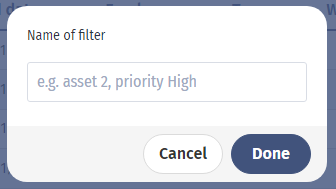
In the opening window below, fill in the filter name and save the filter by clicking 'Done'.
You can find the filters saved in Load: