
Under Settings > Time registration, you can lock time registrations automatically so they can no longer be edited after a point you choose. Turn on Lock time registrations and set one or more rules:
- Lock [n] days after registration date - locks each registration a set number of days after its registration date.
- Lock every week on day - locks the previous week's registrations on the chosen weekday.
- Lock every month on day - locks the previous month's registrations on the chosen day of the month.
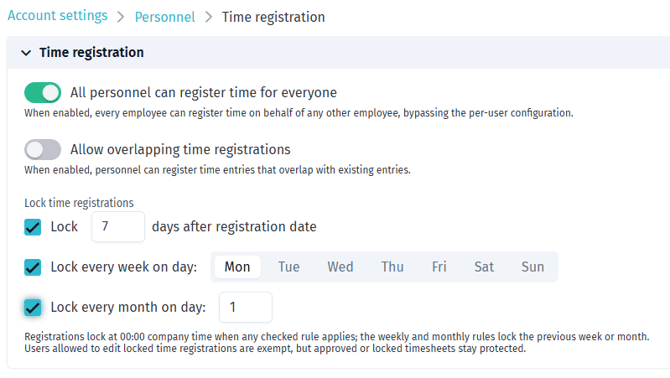
You can set more than one rule. A registration is locked as soon as any rule applies.
Note: Locking happens at 00:00 in the company timezone. For the monthly rule, a day beyond the length of a short month uses the closest available day (31 becomes 30 in April, 28 in February).
Note: Users with the Edit locked time registrations permission can still change a locked registration. Approved or locked timesheets stay protected regardless.