This release introduces a new personal Home page, a round of contract, pay and payroll improvements, and several upgrades to the Daily Progress Report and the work order list.
Home page (early access)
A new Home page gives each user a personal daily agenda when they log in: the activities assigned to them for the day, their rotation, site weather, quick-create shortcuts and a timesheet reminder. Users choose which optional widgets and shortcuts to show, and a date control moves the whole page day by day or across a week. Read more
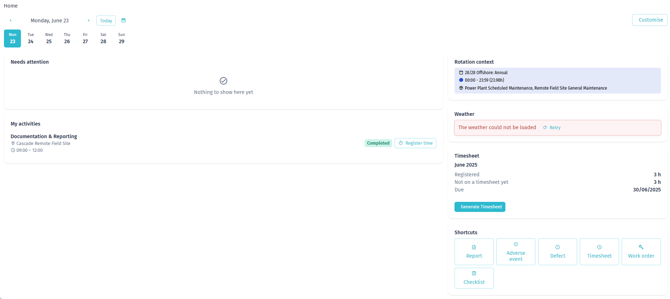
Note: The Home page is being rolled out gradually and is enabled per organisation. If you do not see it yet, it is not active on your account.
Contracts and personnel
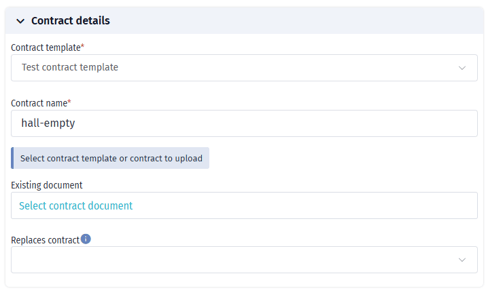
- Replace a contract with a new one or an annex. You can now replace an existing personnel contract with a new contract from a chosen start date. The original is marked Replaced and ends the day before the new one starts. Read more

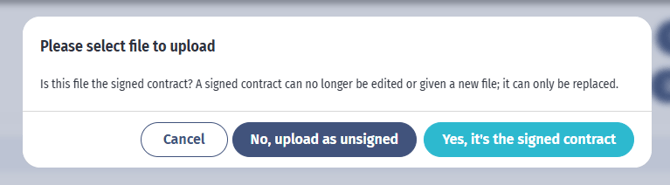
- Edit unsigned contracts, lock on signing. A contract can be edited while unsigned. Once you confirm the uploaded file is the signed contract, it is locked and can only be replaced. Read more
- Employment type on contracts. A new Employment types list in settings lets you maintain your own employment types and add one to each contract. You can make it mandatory. Read more
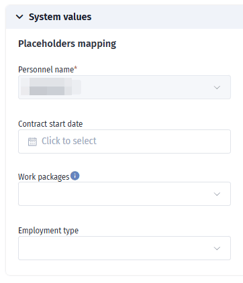
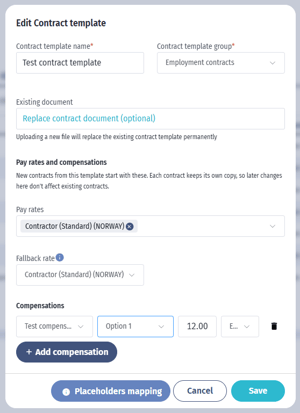
- Pay rates and compensations on contract templates. Templates can carry a default set of pay rates and compensations. New contracts start with these, each keeping its own copy. Read more
- Optional country on pay rates. A rate with no country applies in every country, and a rate set for a country takes priority there. Read more
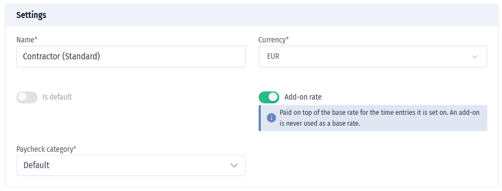
- Add-on pay rates. A rate can be marked as an Add-on, paid on top of the base rate for the time entries it is set on (for example functional or bank-holiday supplements). Read more
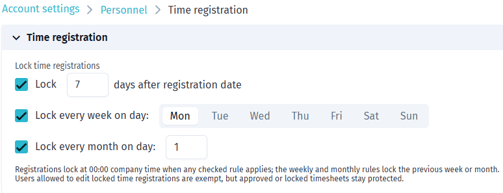
- Expanded automatic locking of time registrations. Lock registrations a set number of days after the registration date, every week on a chosen day, every month on a chosen day, or any combination. Read more
- More detail in the payroll export. The bulk payroll export now includes Project, Employment type and Contract status columns, shows each compensation as "quantity x amount = total", and adds an Hours to salaries sheet. Read more
Daily Progress Report
- Sort by several columns. Report sections can be sorted by more than one column at a time, in priority order.
- Sections expanded by default. When you open a report, its sections start expanded.
- No pagination in sections. Sections show all their rows at once instead of paging. Read more
Work orders
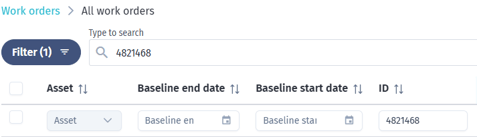
- Inline column filters, including custom fields. The work order list has a filter box under each column header, and your custom field columns can be filtered too. The box matches the field type: text, number, date range or multi-select. Read more